STEP → DSTV NC1, in one click.
Xtruder recognises rolled-steel profiles in your STEP files, extracts the cross-section, length, holes and cuts, and writes production-ready NC1 output. Built for steel fabricators who don't want to wrestle with CAM tooling.
Free 14-day trial. License required after that.
See it in action
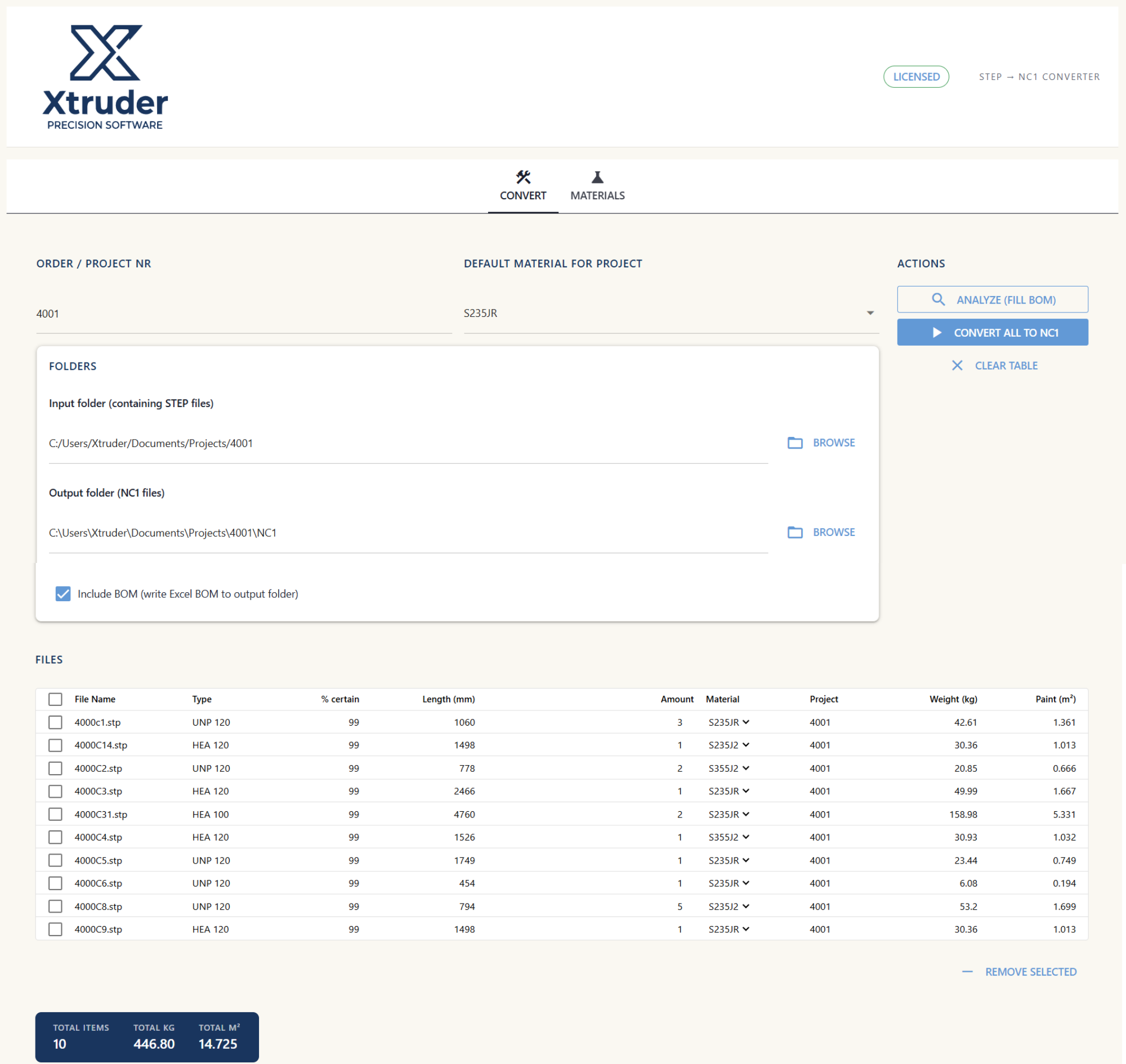
Load a folder of STEP files, let Xtruder recognise the profiles and fill the BOM — weight, paint surface and length per row — then convert to NC1 in one click. Click the image to enlarge.
Profile recognition
HEA, HEB, IPE, UNP, UPE, flat bar, angle — matched against the full European catalogue with a confidence score.
BOM you can trust
Weight and paint surface auto-calculated per row, with per-material density you control.
Excel-style editing
Every cell editable. Bulk-change material across all rows in one click. Export the BOM to .xlsx.